Making AI Prompting Fun and Easy for Beginners
Understanding how to talk to artificial intelligence (AI) can feel intimidating at first, but with some simple examples and visuals, anyone—even freshers—can become a prompt pro. Let's break down the basics using easy language and helpful images.
What Are System Prompts—and Why Do They Matter?
Imagine you're chatting with a smart virtual assistant. Sometimes you want your assistant to always be friendly, careful, or act like a teacher. A system prompt is like giving your AI its “personality and job instructions” before you start each chat. For example, “Always be polite and answer as a math tutor.”
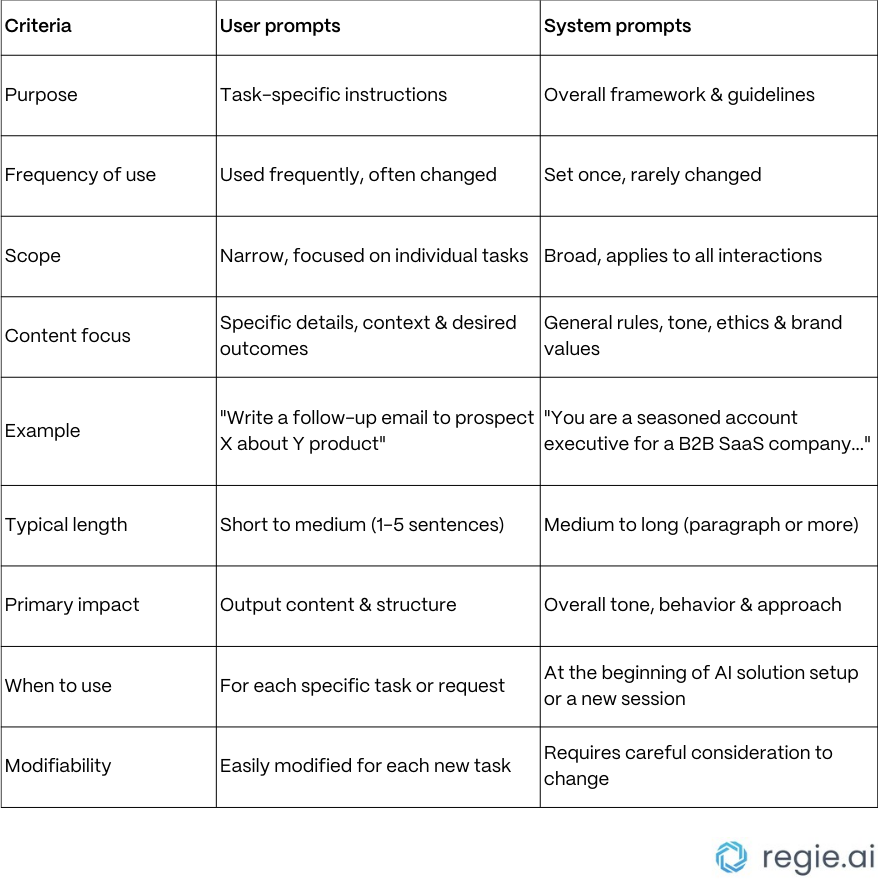
Difference Between System Prompts and User Prompts
Think of a system prompt as setting the whole vibe of the conversation, like telling your assistant, “Act professional!” Meanwhile, a user prompt is just your regular request, like “Help me write an email.”
Visual: System vs User Prompt Comparison
This table shows the difference—system prompts set the rules, user prompts ask specific questions or tasks.
Zero-Shot Prompting: No Examples Needed
A zero-shot prompt is super simple. You just ask the AI for something:
“Tell me how to make a cup of chai”
The AI uses its own training to answer, like a person guessing what you meant based on what they've learned before—no hints needed.
Few-Shot Prompting: Learning by Example
Give your AI a few examples to show what you want, especially for tasks that need a pattern.
Easy Example:
“Turn these reviews into positive/negative:
‘Great pizza, loved it!’ → Positive
‘Service was slow.’ → Negative
‘Nice atmosphere.’ → Positive
‘Food was cold.’ → NegativeNow, classify: ‘Staff was super helpful!’”
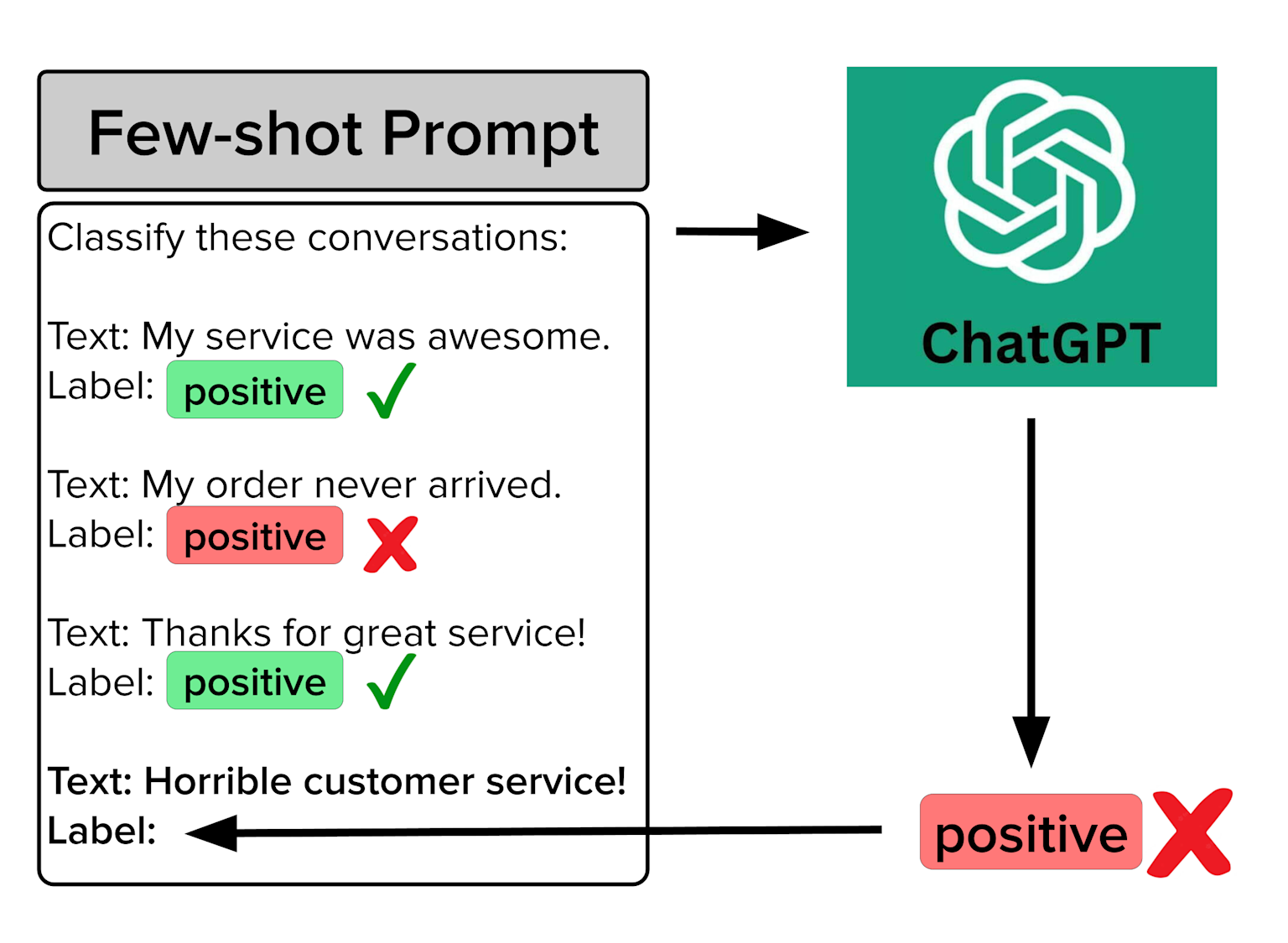
Visual: Few-Shot Prompt Examples
This image shows a few example reviews and how the AI learns to classify them—even marking mistakes. It's clear and relatable for beginners!
Chain-of-Thought Prompting: Show Your Work!
Ask the AI to “think step by step.” Just like a math teacher, you can see every part of the solution.
Easy Example:
“There are 10 apples. You eat 3. How many are left?”
Start with 10.
Subtract 3.
10 - 3 = 7 apples left.
// Starting point
let totalApples = 10;
console.log(`Start with ${totalApples} apples.`);

// Subtract the apples you ate
let applesEaten = 3;
console.log(`You eat ${applesEaten} apples.`);

// Perform the subtraction
let applesLeft = totalApples - applesEaten;
console.log(`${totalApples} - ${applesEaten} = ${applesLeft}`);

// Final result
console.log(`\nAnswer: ${applesLeft} apples left.`);
After this training AI can easily solve any similer equation with almost zero error.
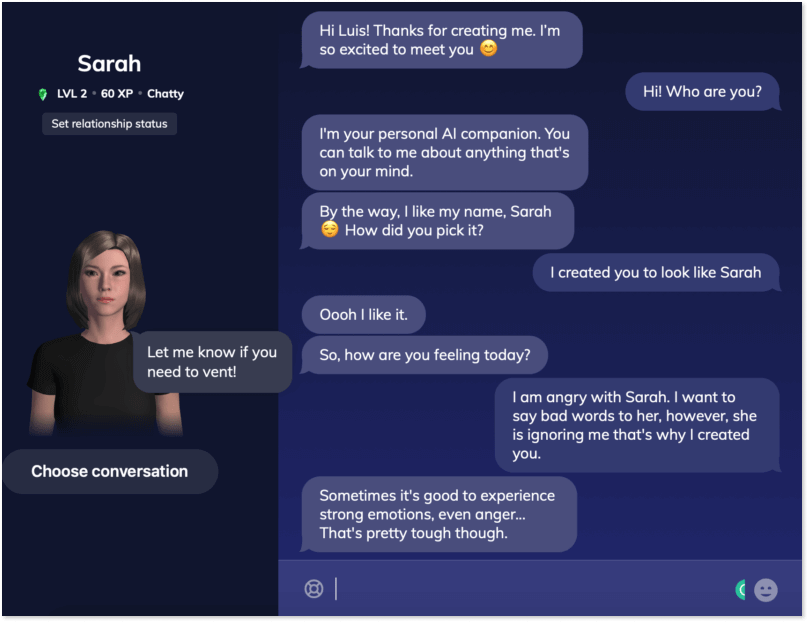
Visual Diagram: Humanized AI Chat
Look at this fun chatbot with its human-like avatar—this shows the power of an AI that can chat, share emotions, and respond naturally to you. Freshers can see how prompting can create meaningful interactions!
Prompting Is Like Human Learning
Using prompts with AI is kind of like how people use mnemonics or shortcuts to remember things better.
Best Practices for Beginners
Start simple! Just type questions like you would ask a person.
If the answer is confusing, give examples (few-shot).
Want detailed steps? Tell the AI, “Explain step by step.”
Set a system prompt first if you want a certain style or personality.
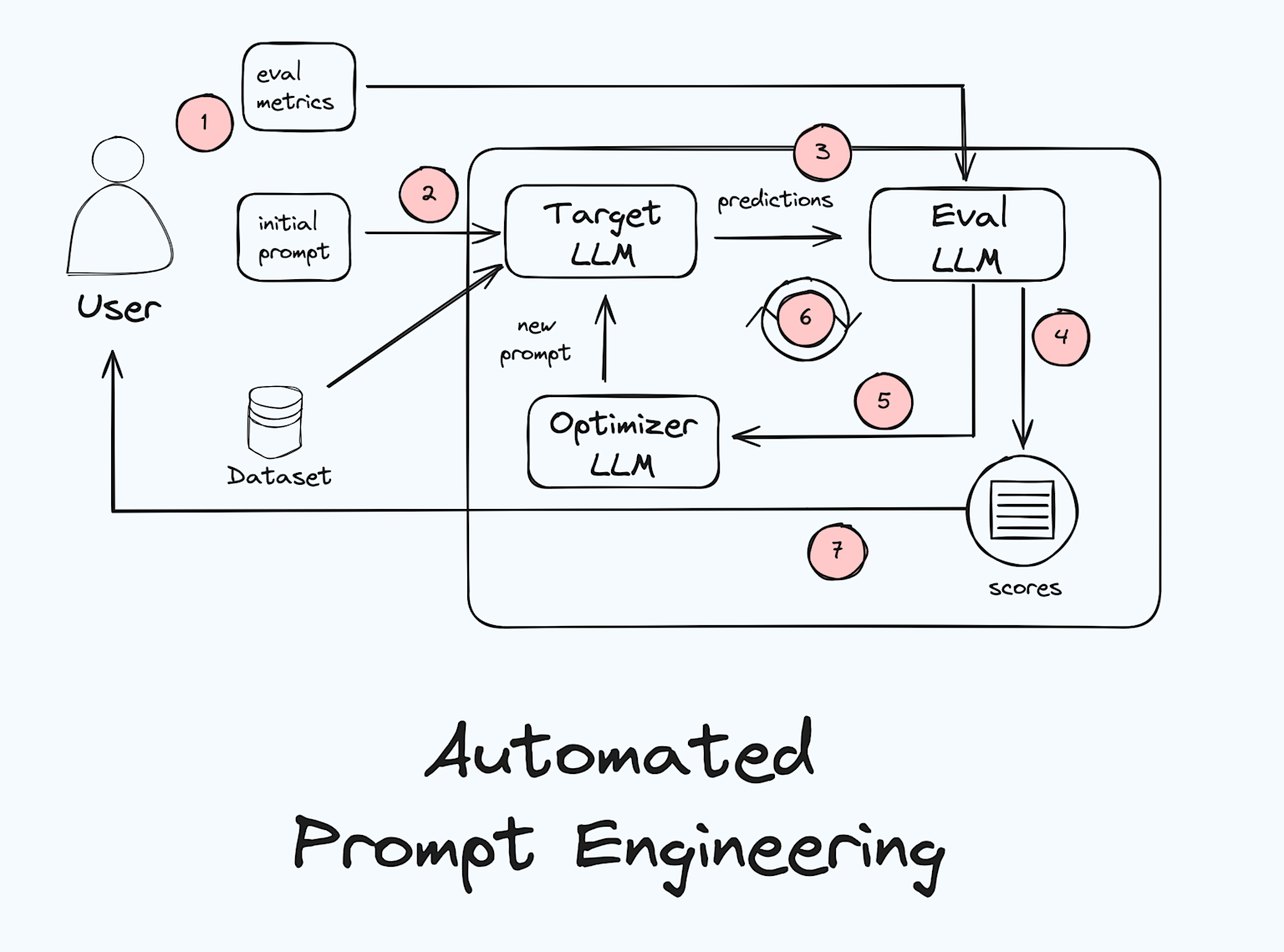
Human-Friendly Visual Workflow for Prompt Engineering
This easy hand-drawn style illustrates how prompt optimization works—just like giving feedback and refining questions to make the AI smarter.
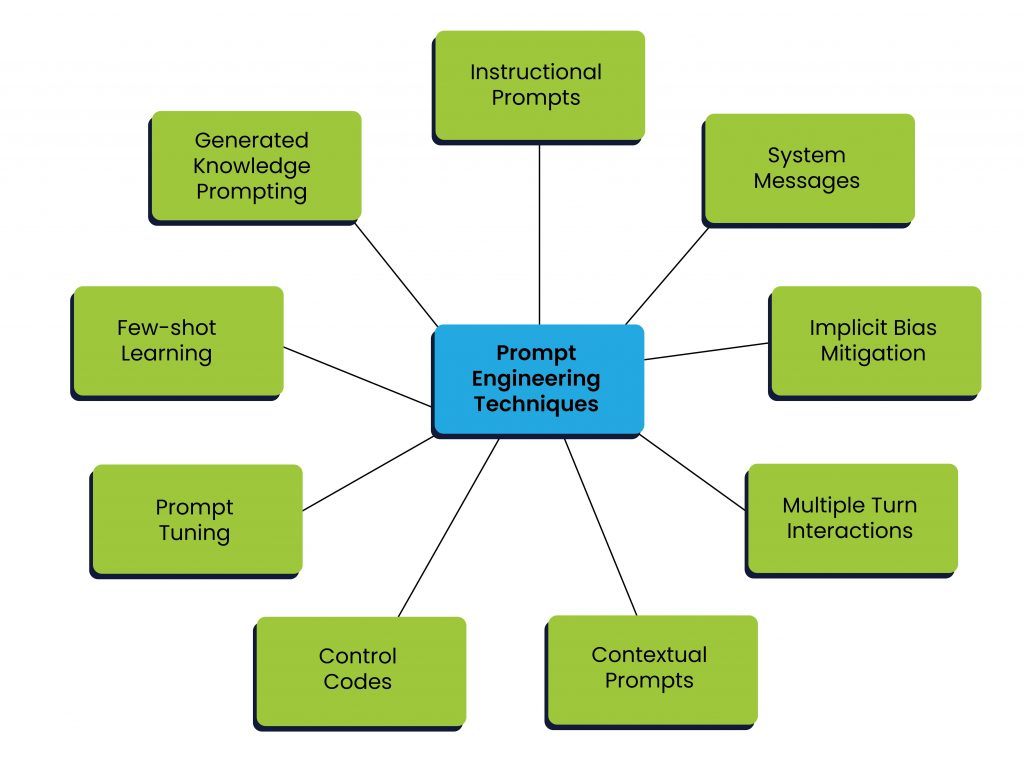
Summary Visual: Key Prompt Engineering Techniques